Map editor
Build a map inside the game.
1,492 catalog pieces, integer transforms, prefabs, packages, and a scored test match from the editor menu.
The mode
An authoring session in the shipped build.
Position is signed integer micrometres at 10,000 ticks per centimetre. Rotation is signed integer microdegrees. Scale is parts per million. No transform in the file is a floating point number.
MAP EDITOR opens from the main menu. The browser lists every registered map as a starting canvas and every valid save under Saved/ThrusterMapEditor/Maps. Opening one starts a dedicated session with combat, bots, scoring and the network listener all off.
Every save has a file page: EDIT MAP, PLAY IN CUSTOM GAMES, NEW NAME, DUPLICATE, EXPORT PACKAGE and DELETE. A package is one file with the document, its hash, the build identity and the author. A package dropped into the Inbox folder appears in the lobby under INBOX and installs as a save of your own.
Saves are overlays on the built in base world, which stays untouched. Serialization sorts item GUIDs, tags and metadata keys before hashing, publishes through a temporary file and an atomic rename, and writes a SHA-1 sidecar. Each save also writes a picture of the viewport beside the file and its undo history keyed to the document hash, so reopening the same file brings the history back.
Built
What runs today.
Thirteen systems, all of them in the runtime plugin.
-
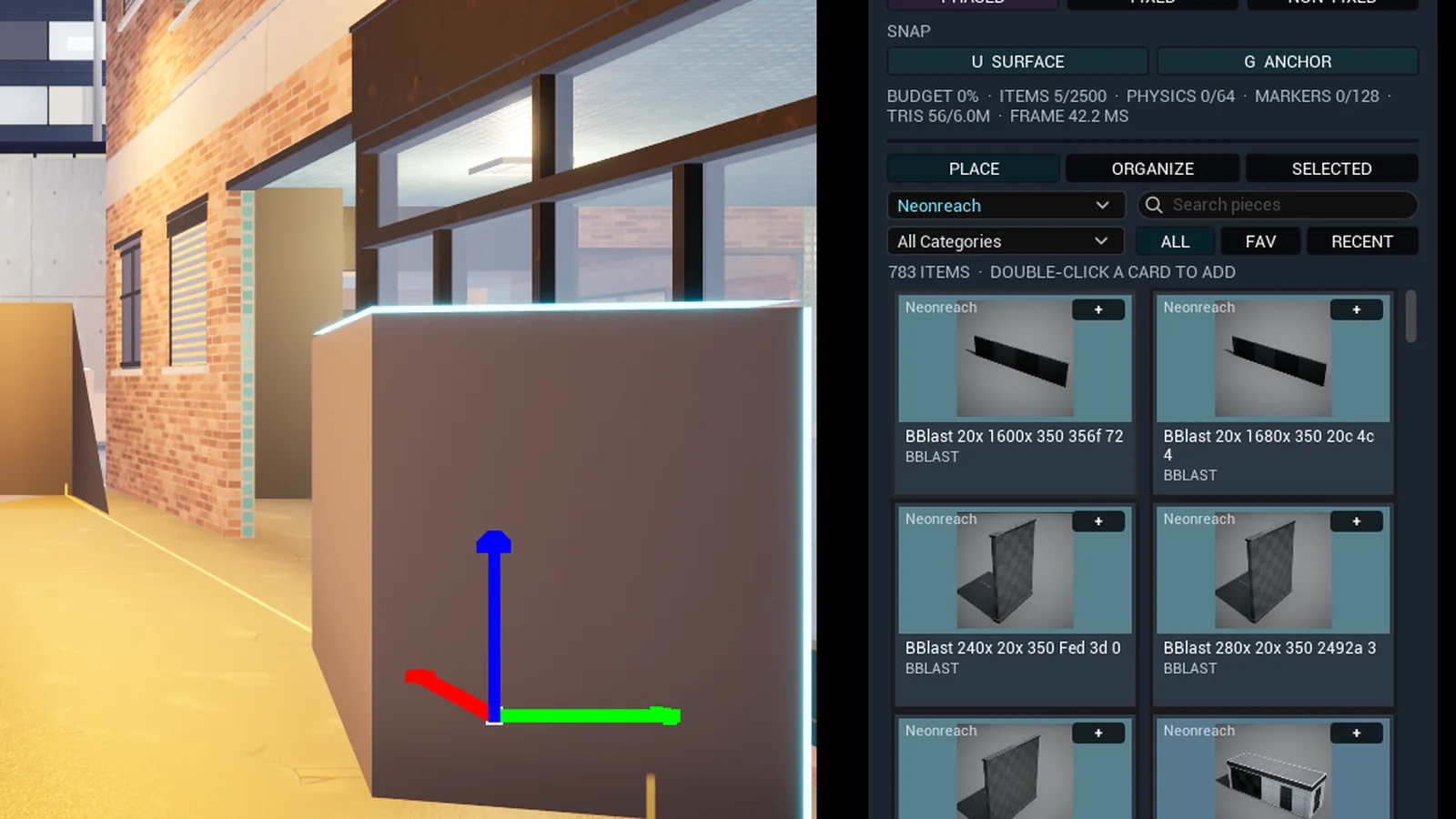
The PLACE tab on the Neonreach collection, 783 pieces 01Inventory
1,492 allowlisted entries across eight collections and a Prefabs collection, filtered by collection, category and search, with persistent favorites and bounded recents. Every card carries a rendered picture of its mesh. An asset loads on demand at spawn time.
Numbers 24 Foundation primitives, 1,456 art meshes from six kits, 12 gameplay markers.
-
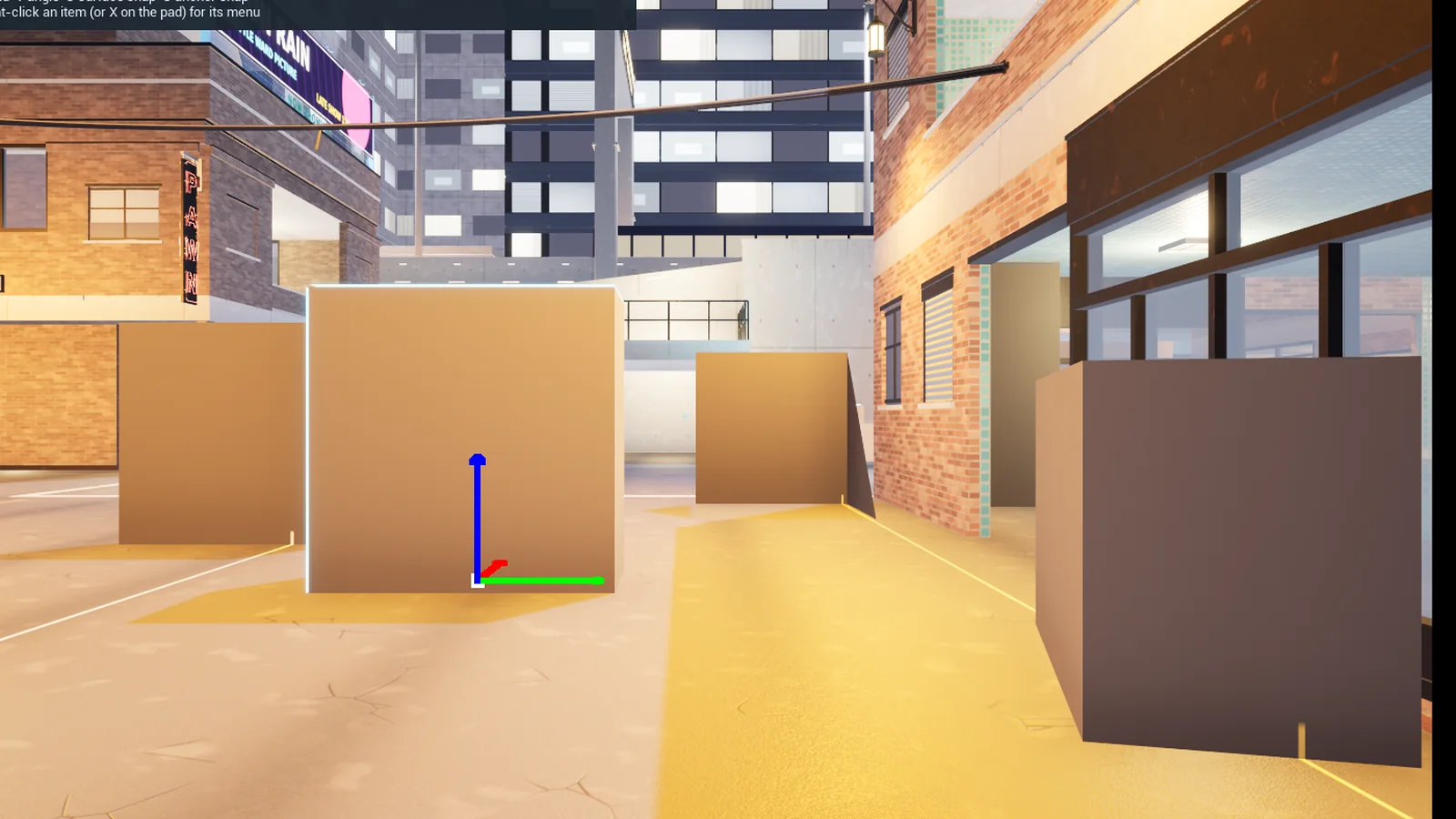
A selected block with the move gizmo 02Transform tools
Move, rotate, and per axis or uniform scale, on RGB arrows, rotation rings and scale handles. Every drag carries an exact value and a delta beside the pointer. Any Location, Rotation or Scale field takes a typed signed decimal, parsed straight into integer ticks with half away from zero rounding.
Numbers Integer position and angle snap, surface placement, bounded undo and redo.
-
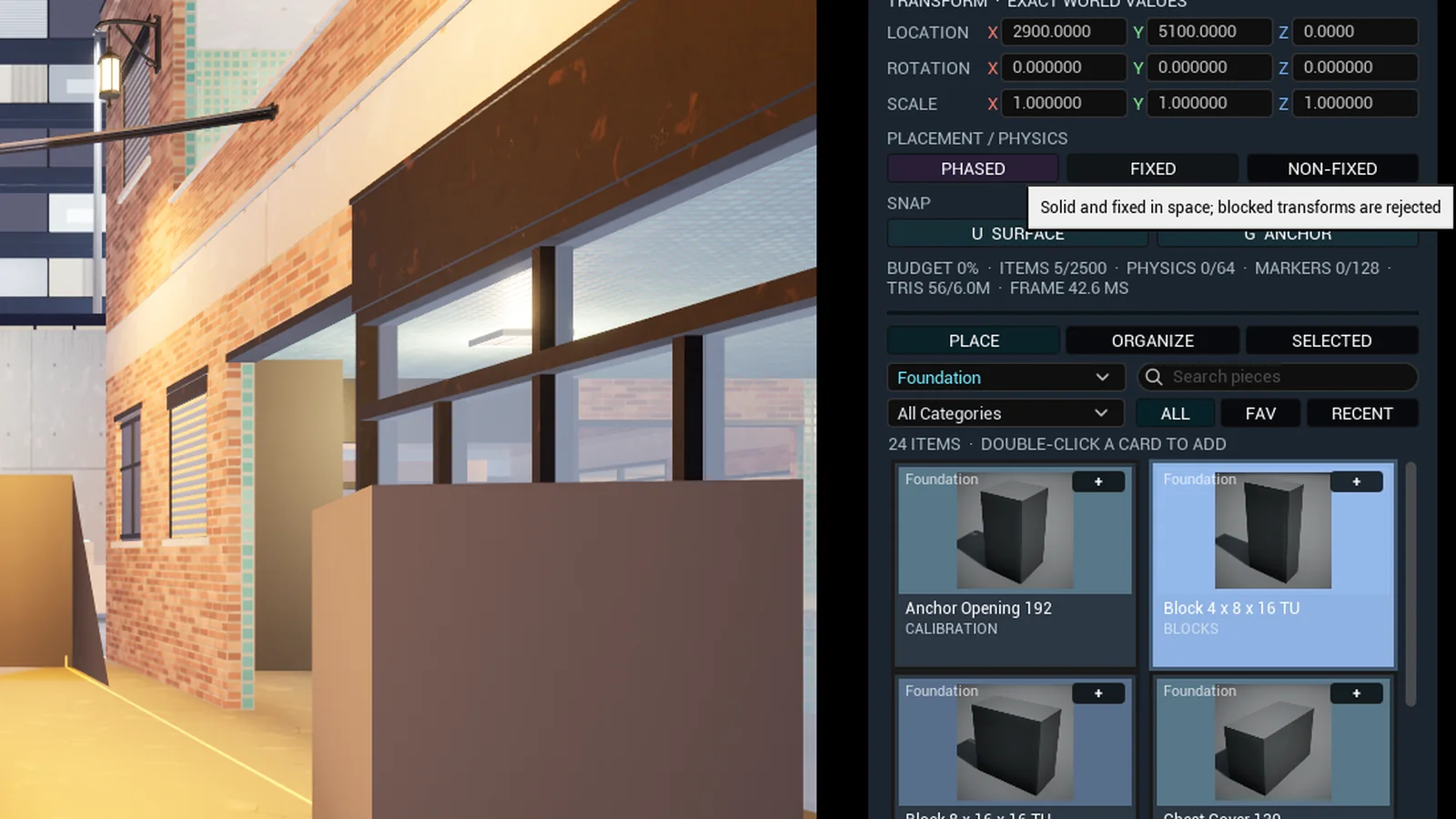
FIXED chosen for a block 03Placement modes
Phased passes through geometry while it is being positioned and stays solid and stationary in play. Fixed rejects any move, rotation, scale, mode change or duplicate that would penetrate blocking geometry, and allows exact face contact. Non-fixed uses gravity and a bounded box proxy derived from the authored mesh bounds.
Numbers Physics pauses while a gizmo or a typed field owns the object, then resumes from the accepted transform.
-
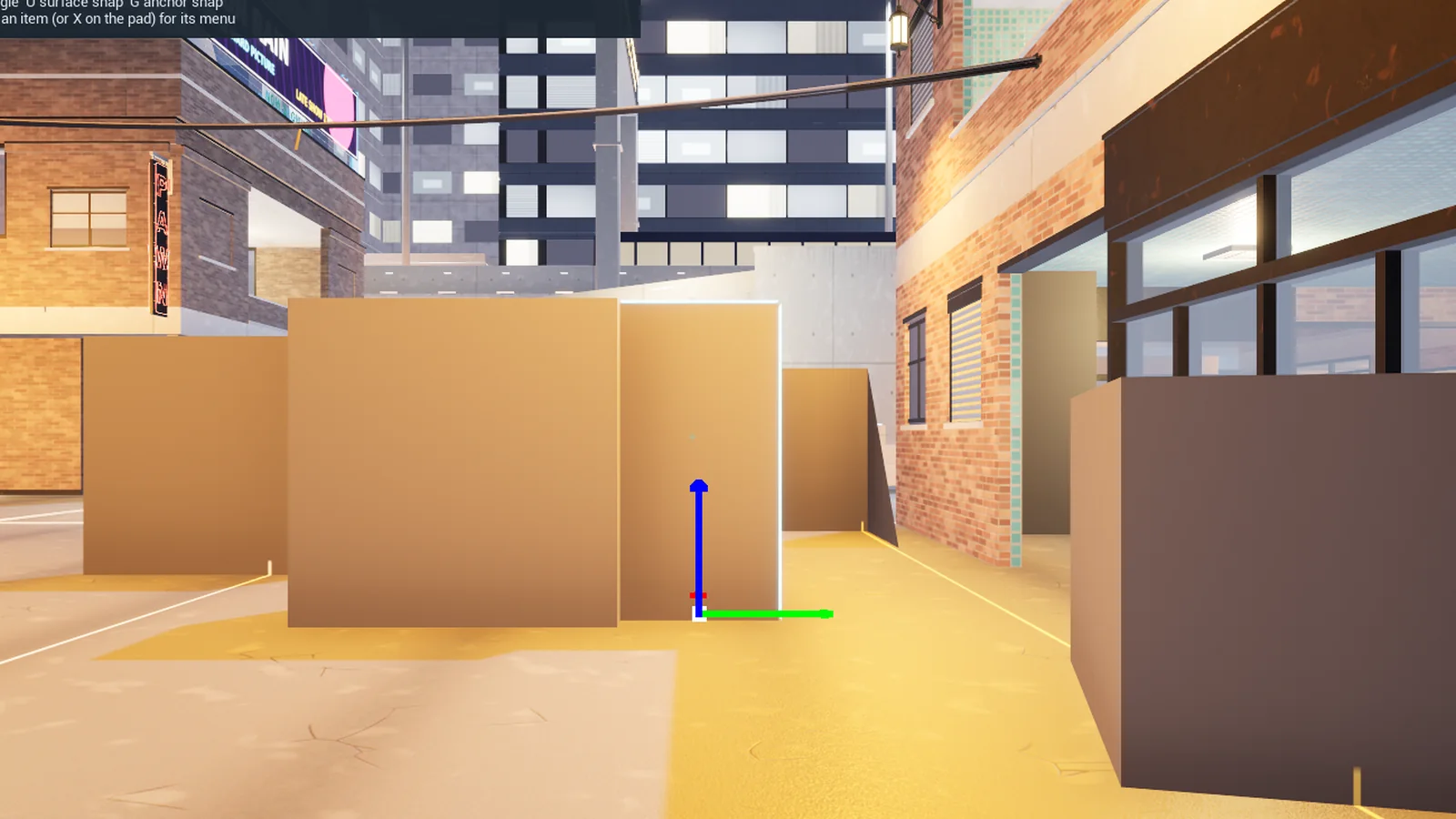
A small block dragged onto its neighbour with anchor snap on 04Anchor snap
Every mesh entry carries anchors: a Foundation piece's declared faces, or the six face centres of a kit mesh's bounds. With anchor snap on, a moved or placed piece slides the nearest facing pair of anchors together in exact ticks when one lies within 25 cm or 1.5 grid steps. The status line names the pair it met.
Numbers G toggles it. Two tops never snap. The selection being dragged never attracts itself.
-
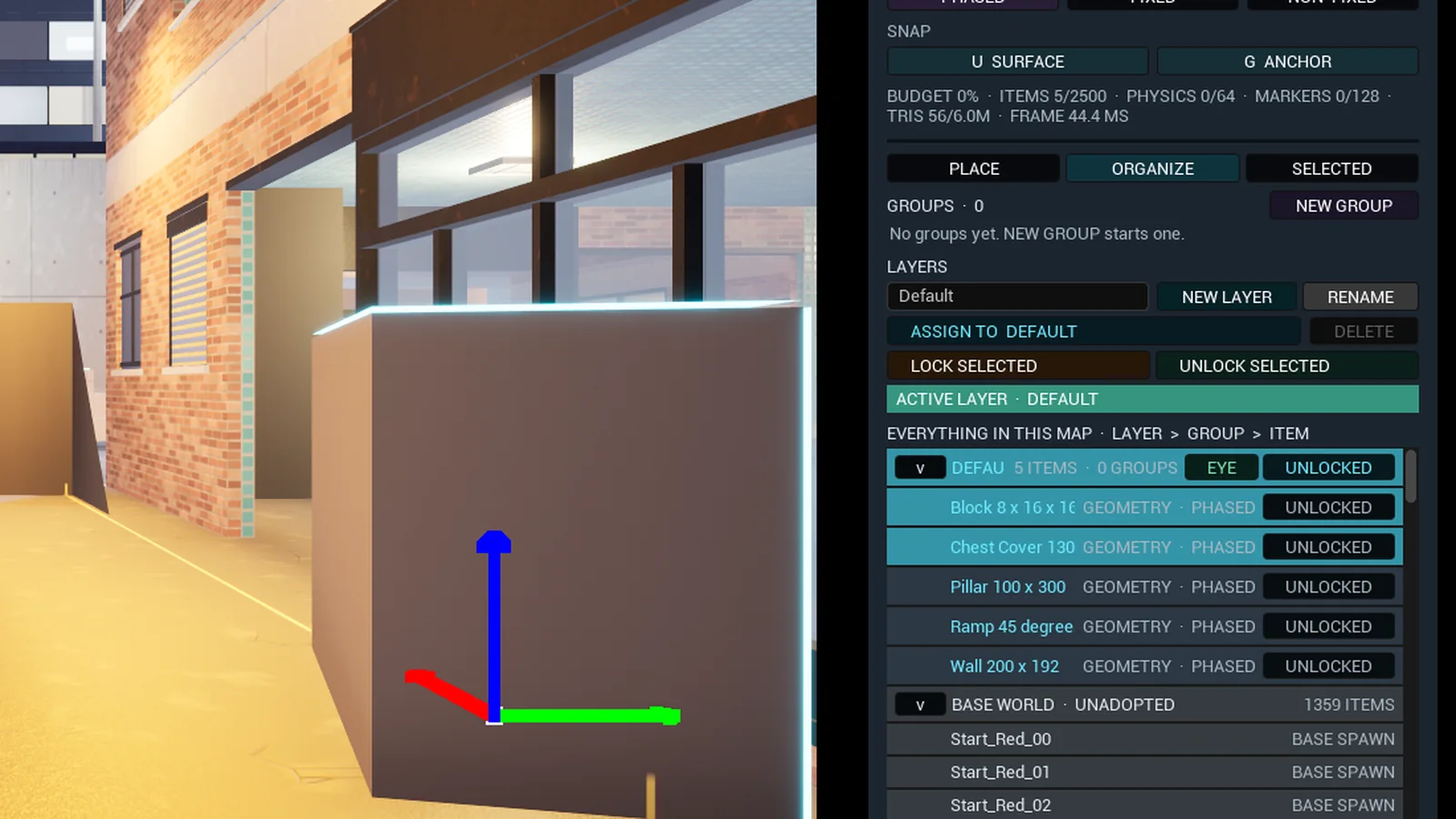
The ORGANIZE tab, layer, items and the base world 05Organize
Three tabs that name what you are doing: PLACE, ORGANIZE and SELECTED. The outliner is Layer, then Group, then Item, with a Base World section for actors not yet adopted. Making a group is staged: NEW GROUP, pick the members, NEXT, read back the count, CREATE GROUP. Locks use one vocabulary on layers, groups and items.
Numbers Hiding a layer drops its contents from the selection. An item held by its parent says LOCKED BY GROUP or LOCKED BY LAYER.
-
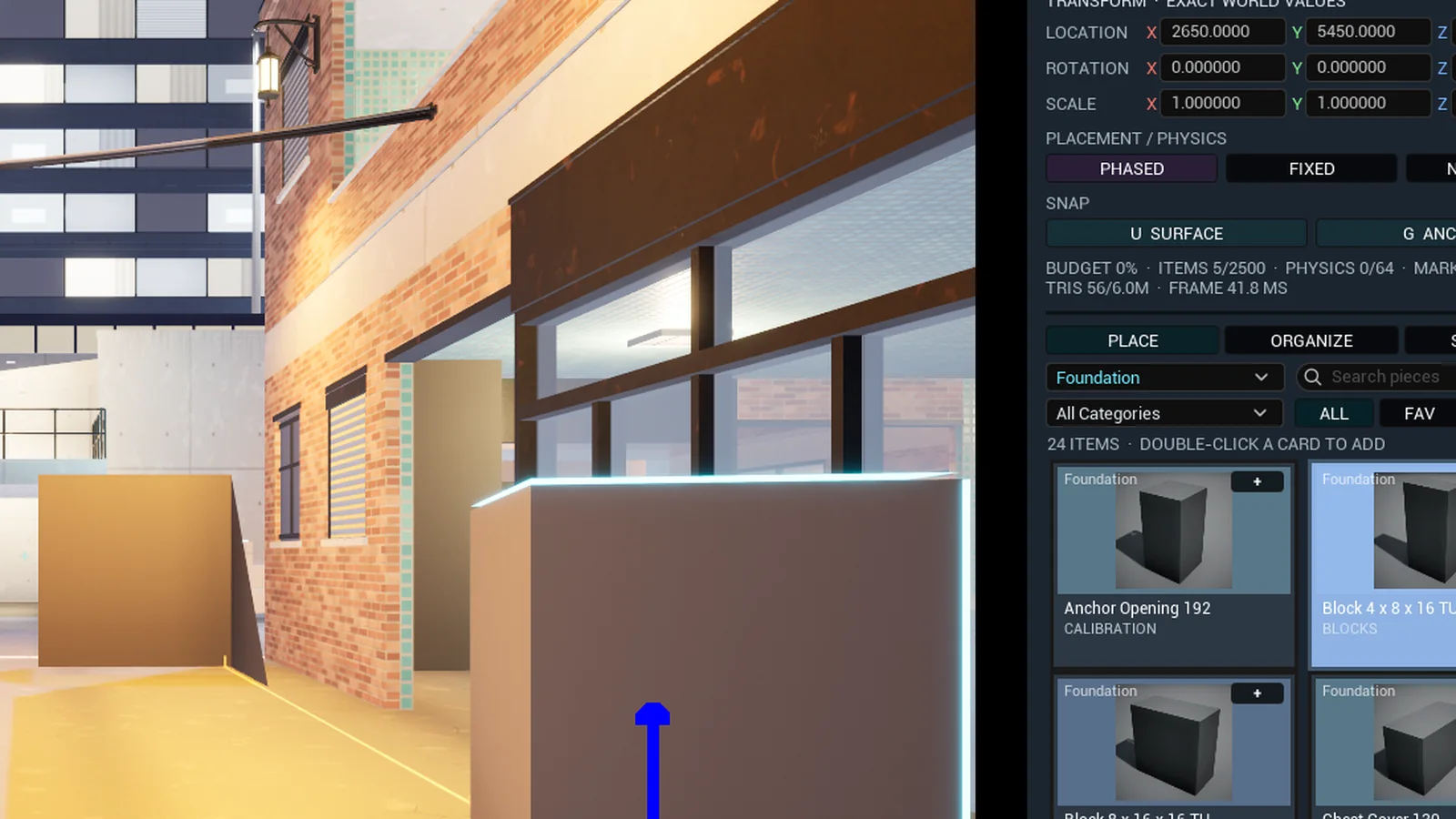
The right click menu on two selected pieces 06Item menu and colour
A right click on an item opens its menu where the cursor is: FOCUS, DUPLICATE, DELETE, NEW GROUP, LEAVE GROUP, LOCK, PHASED, FIXED, NON-FIXED, SAVE AS PREFAB and PROPERTIES. On the pad, X opens it for the selection. Every mesh piece carries a Colour setting laid over its material through the kit's Tint parameter.
Numbers A held right button still flies the camera. NONE keeps the material as authored.
-
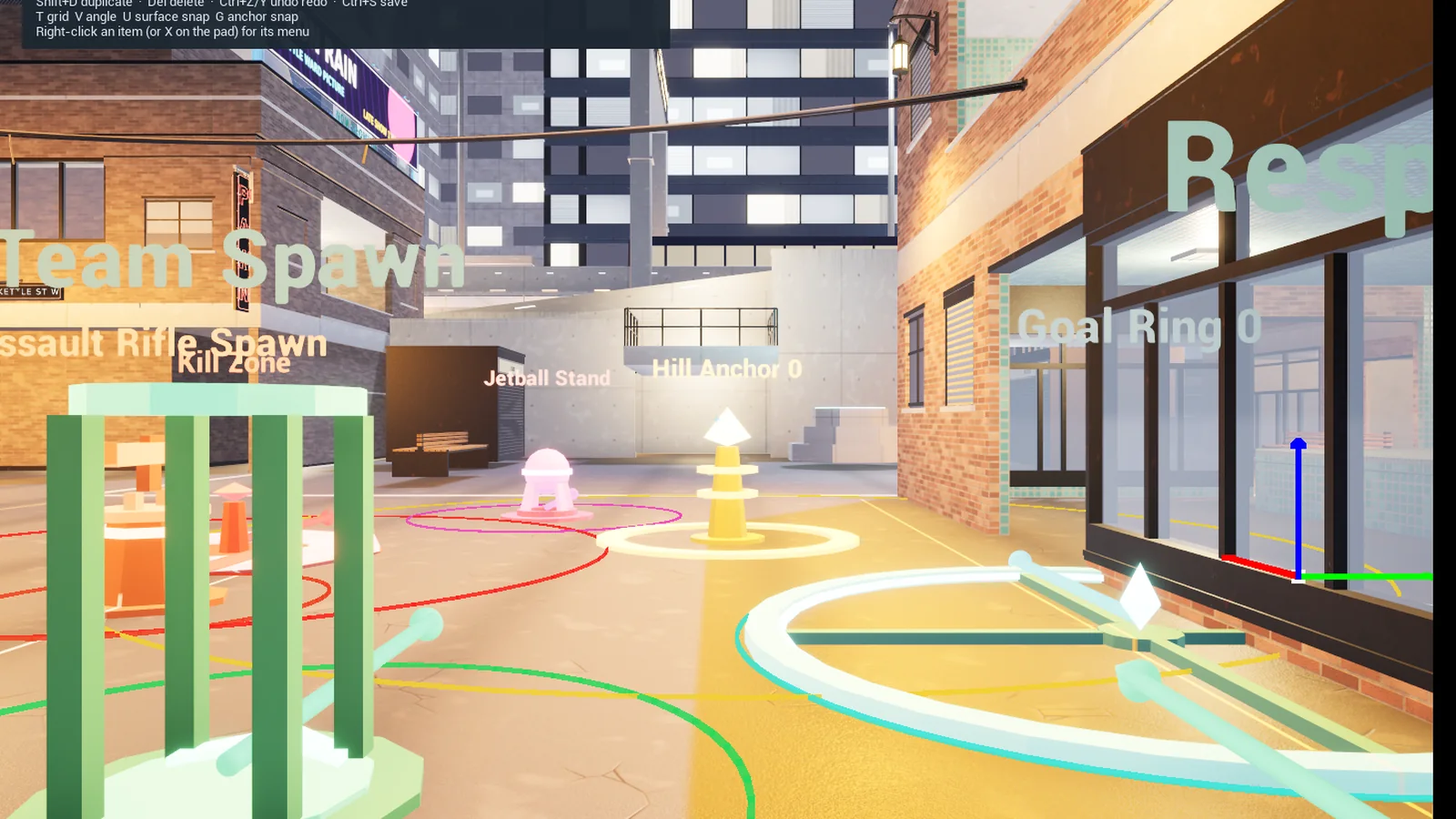
Team spawn, kill zone, weapon stand, hill, ball stand, goal ring and flag stand in a street 07Gameplay markers
Team spawn, respawn point, four weapon stands, CTF stands for Red, Blue, Team 2 and Team 3, King of the Hill, Jetball, goal ring and kill zone, visible only while editing. Weapon stands carry Weapon Type, Respawn Seconds, Ammo Percent and radius. Objectives carry Team, Objective Index, Boundary Shape and radius.
Numbers A team spawn starts neutral. A goal ring scores a ball that crosses its own plane within 200 cm, so it stands upright. A kill zone kills any body inside its cylinder.
-
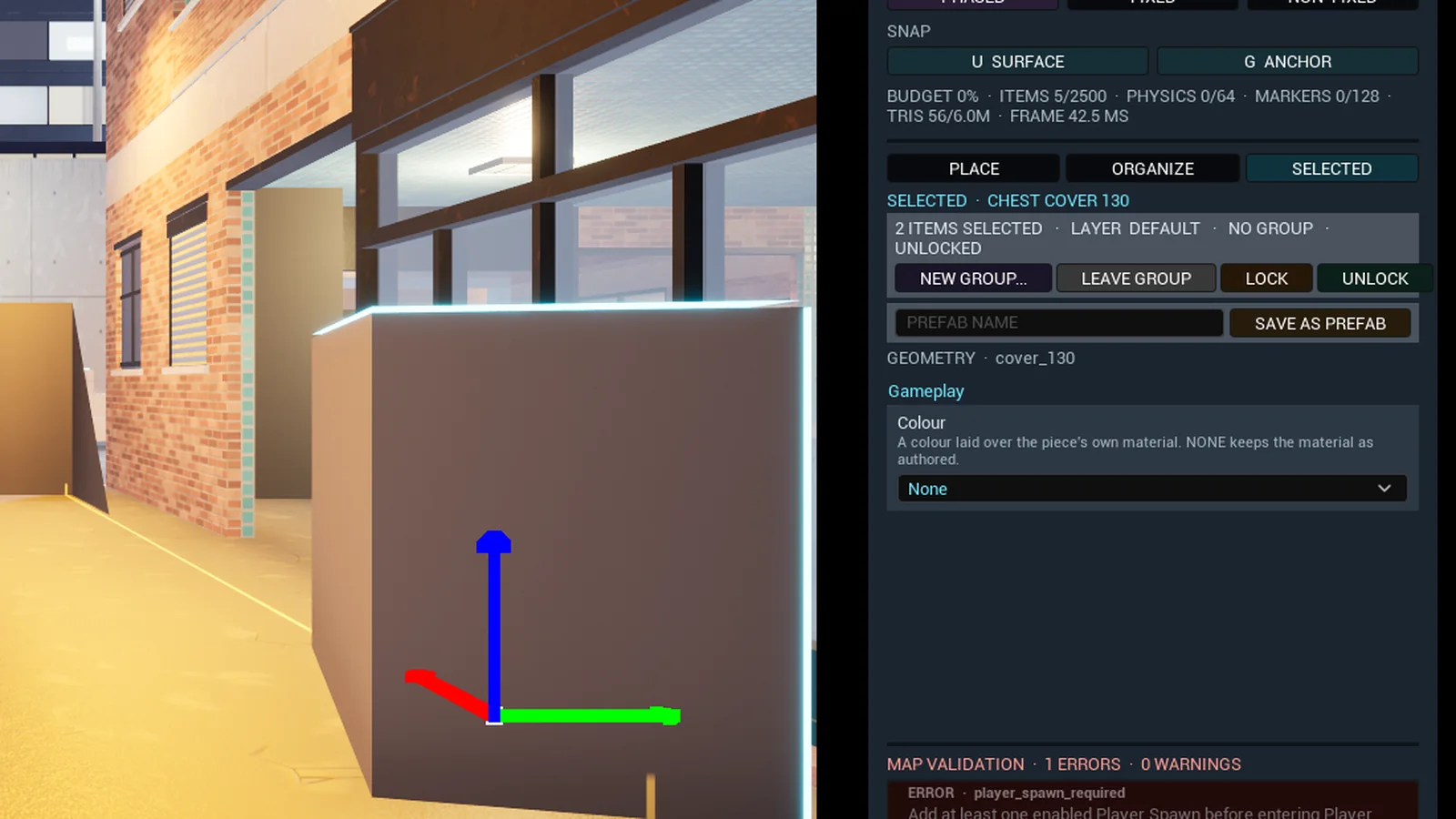
The SELECTED tab with a prefab name and SAVE AS PREFAB 08Prefabs
Select pieces, type a name in the SELECTED tab and press SAVE AS PREFAB. The prefab is the pieces' catalog ids, properties and transforms relative to the primary item, written with a checksum. It appears under PLACE as the Prefabs collection and places every member at the crosshair as one group, one undo step.
Numbers Only catalog pieces join a prefab. Rename and delete sit under the inventory with an arm and confirm press.
-
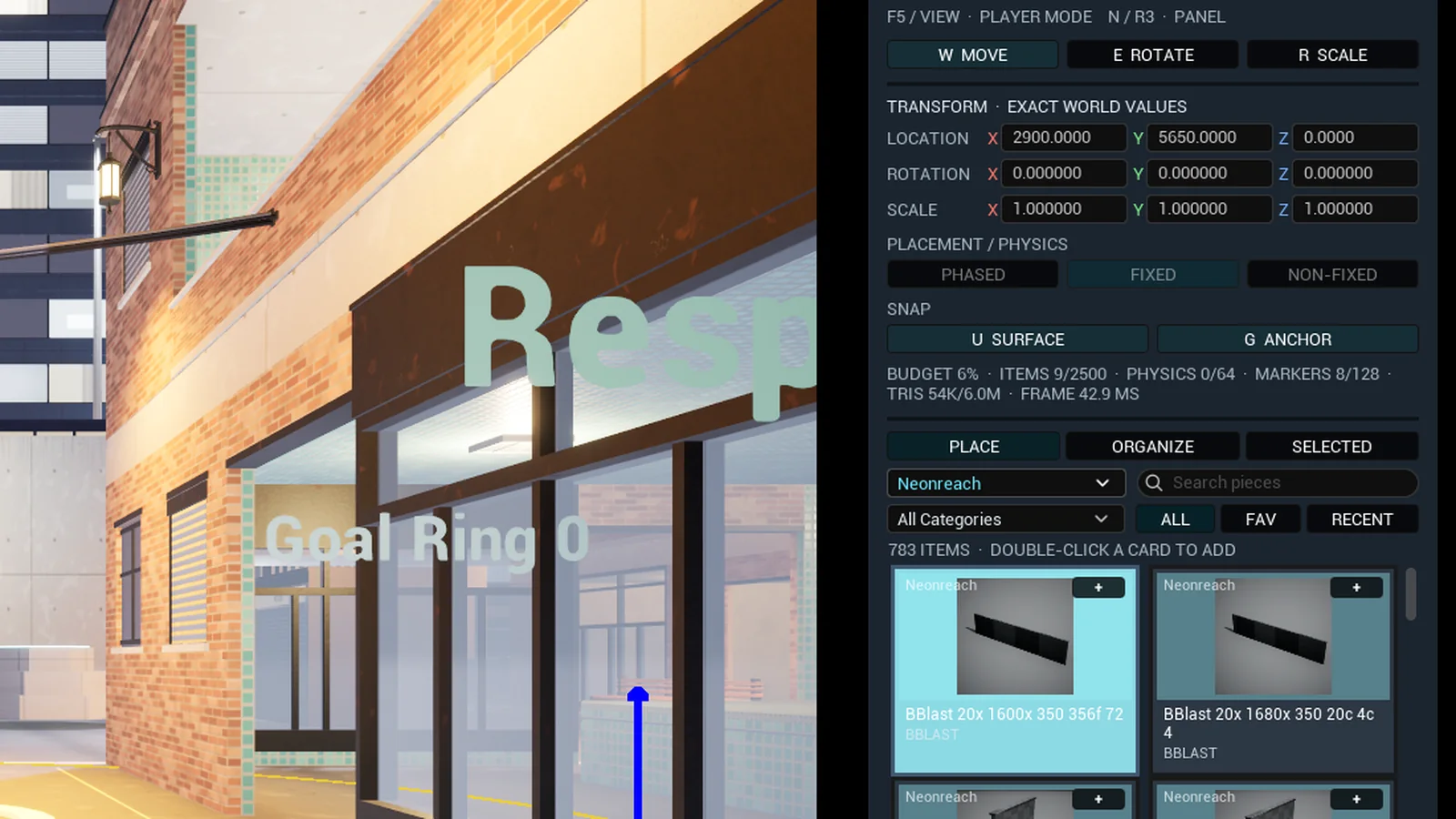
The budget line under PLACEMENT with eight markers placed 09Budget
One table read by the panel, the validator, the lobby and the scripts: 2,500 placed items, 64 Non-fixed physics bodies, 128 spawns and markers, 6.0M LOD0 triangles. At 85 percent of any ceiling the validator warns. Over is an error, which blocks Player Mode and playback.
Numbers The same line ends with the average frame time over the last second where the author stands.
-
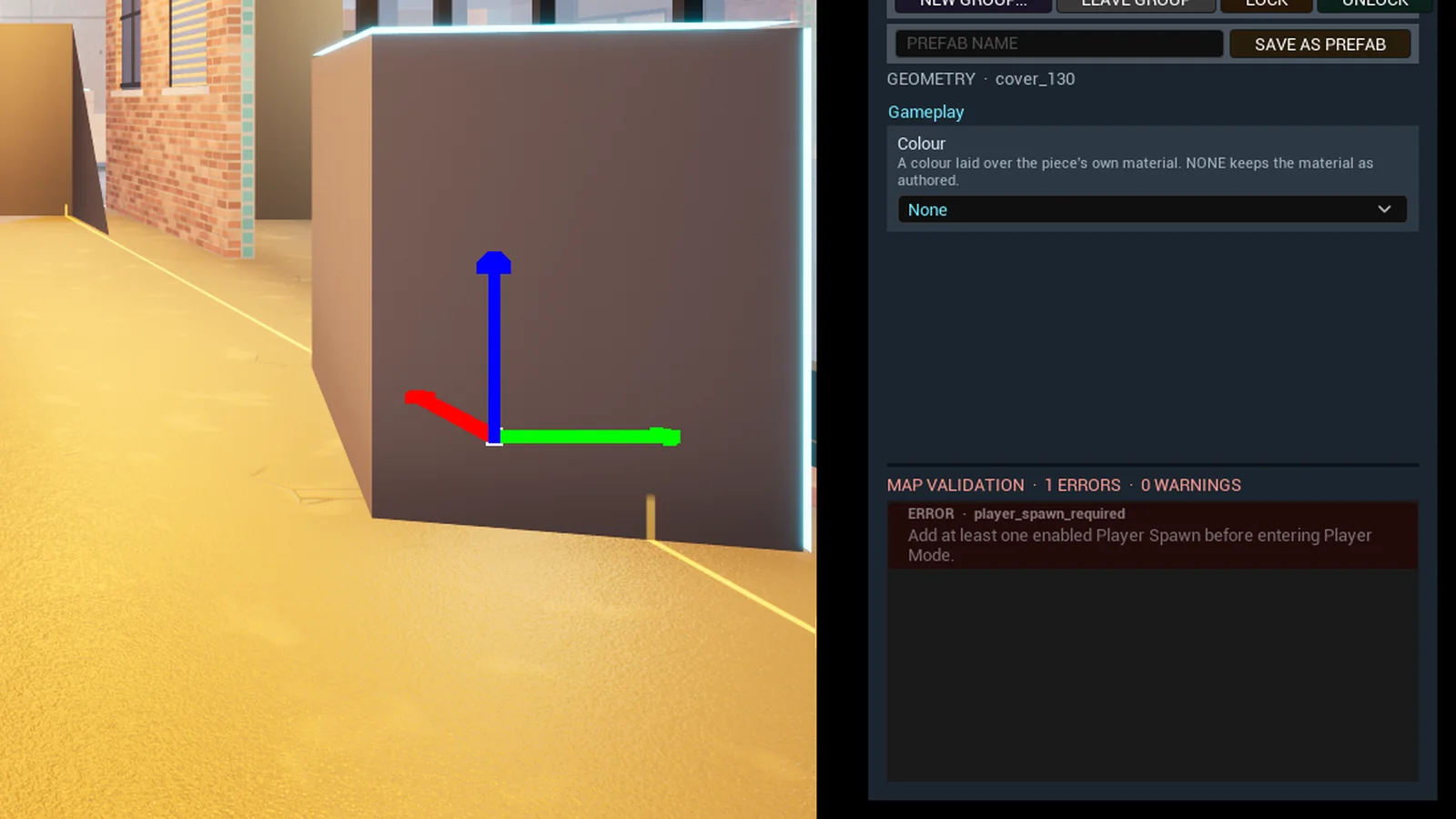
MAP VALIDATION with one error, a missing player spawn 10Validation
Runs continuously over missing or unrealized items, catalog and property mismatches, missing enabled player spawns, duplicate objective team and index pairs, invalid CTF teams, incomplete CTF pairs and budget ceilings. An issue that carries an item identity selects that item from the SELECTED tab.
Numbers A draft saves with issues open. A blocking error stops F5 and TEST MATCH.
-
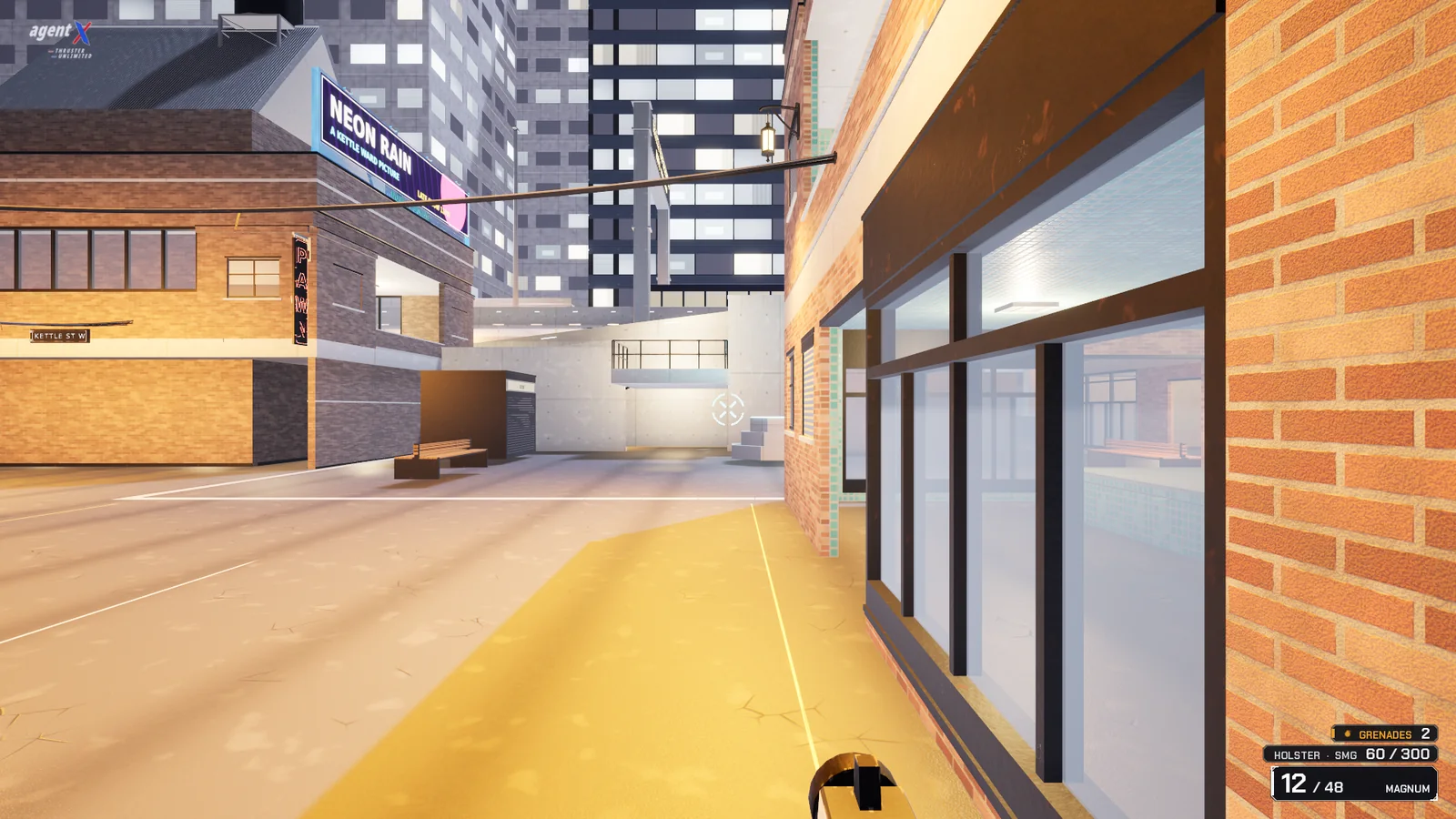
F5, the player pawn standing in the map 11Player test
F5 swaps the editor camera for the real player pawn against the geometry and spawn placement in front of you. Returning restores the same camera, document, selection and undo history.
Numbers Authoring transforms are snapshotted on entry and restored on exit, so physics drift cannot rewrite the map.
-
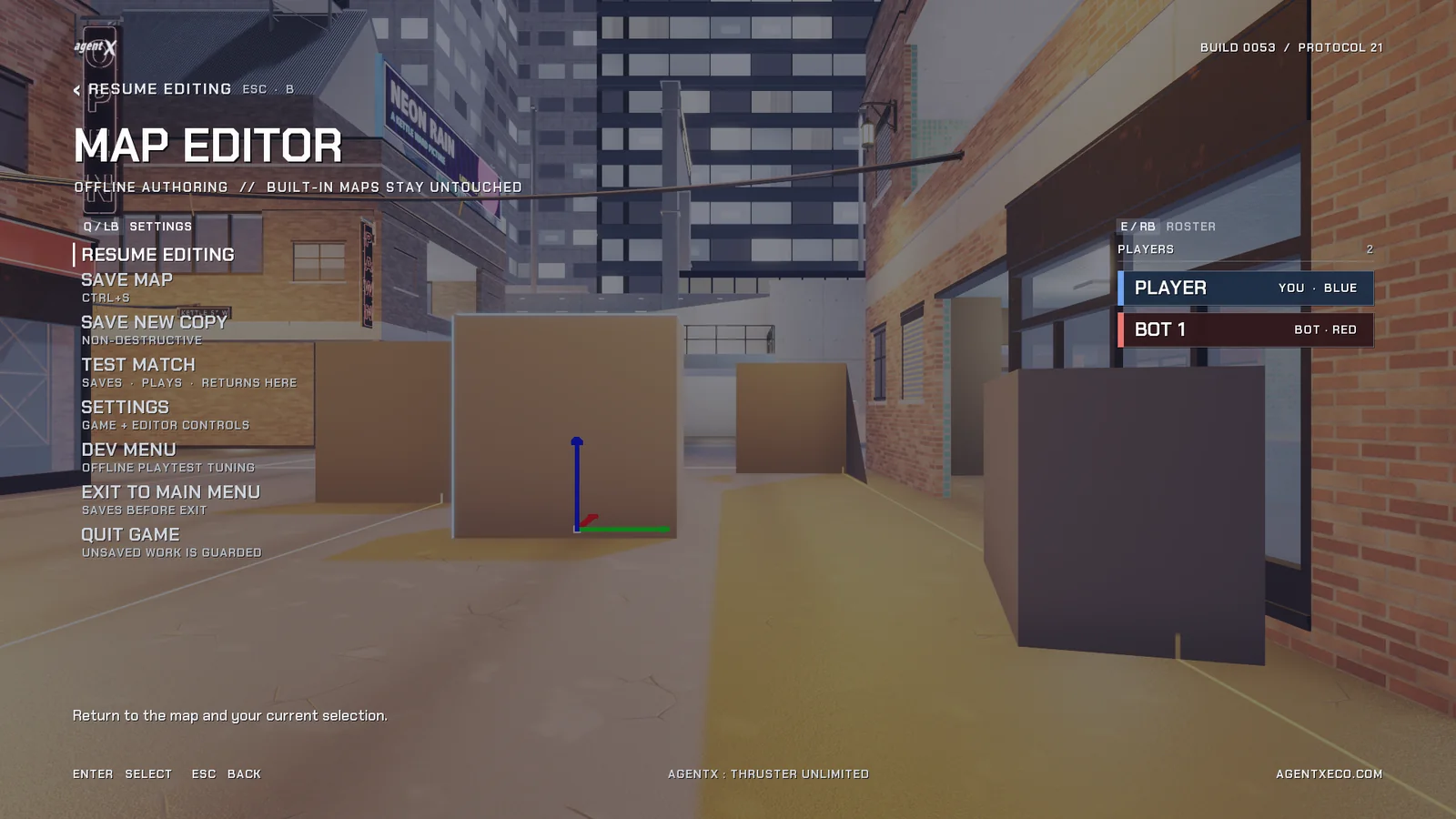
The Map Editor menu with TEST MATCH 12Test match
TEST MATCH in the editor menu saves through the same door as Ctrl+S and plays the save as a real scored custom game with the mode, rules and bots set in CUSTOM GAMES. The match ends back in the editor on the same save. BACK TO MAP EDITOR in the pause menu returns early.
Numbers A save with no spawn for a mode is refused with the same sentence CUSTOM GAMES uses.
-
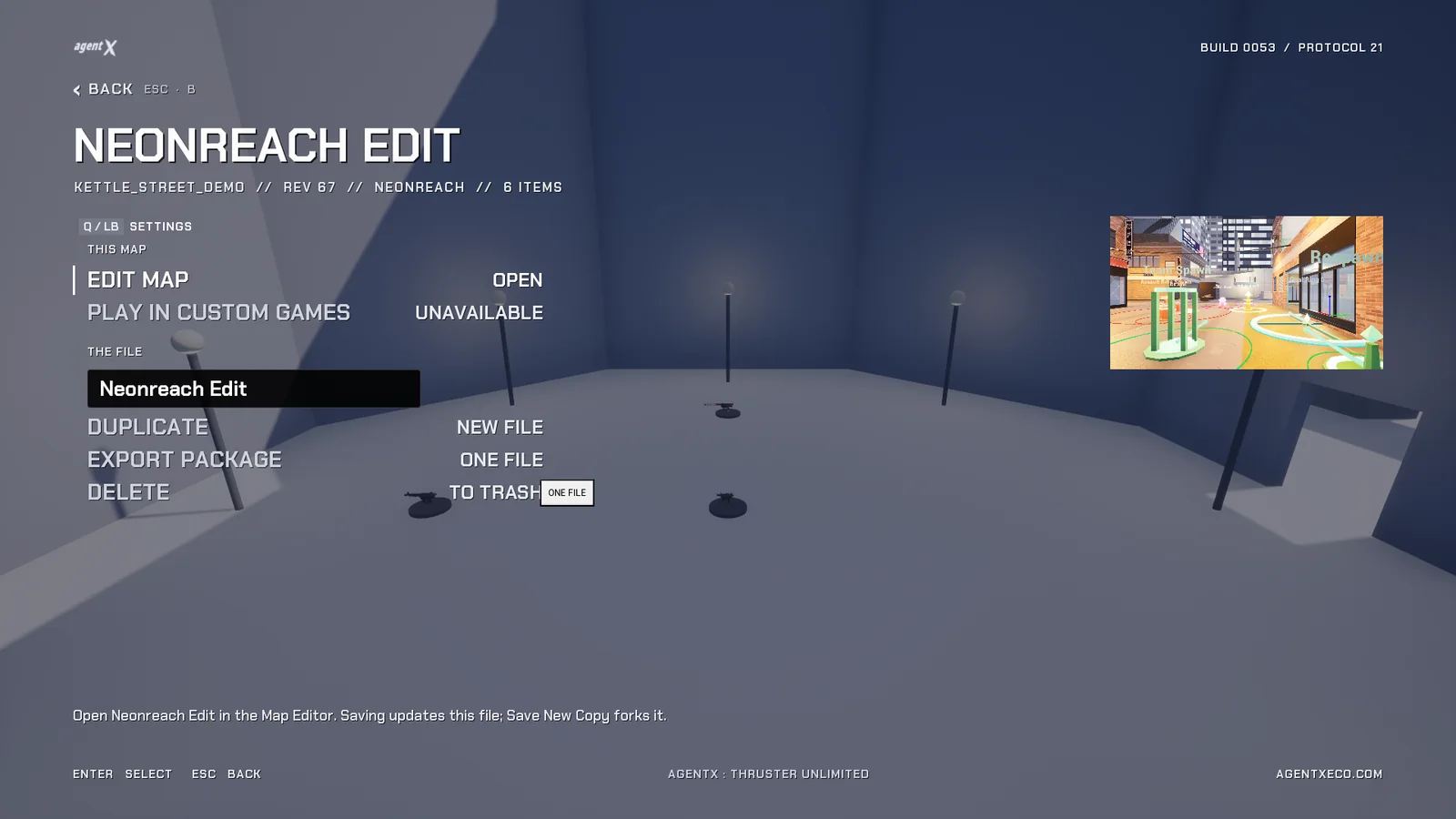
The file page of a save in the lobby 13Files and packages
Every save in the lobby opens a file page: EDIT MAP, PLAY IN CUSTOM GAMES, NEW NAME, DUPLICATE, EXPORT PACKAGE and DELETE. A package is one file with the document, its hash, the build identity and the author's player name. INBOX lists packages dropped in the Inbox folder and IMPORT installs one as a save of your own. A joining client receives the host's document over the connection and leaves if the hash disagrees.
Numbers Delete moves the file to Trash. Every save writes a thumbnail beside the file, shown on the file page and above the roster in CUSTOM GAMES.
Selection draws a bright runtime silhouette around the chosen mesh, cleared while in Player Mode.
The numbers
Precision, catalog, budget, calibration.
The coordinate frame and every tick rate are embedded in the file and rejected on load if they disagree with the runtime.
Precision
- Position
- 10,000ticks per cm
- Rotation
- 1,000,000ticks per degree
- Scale
- 1,000,000= 1.0
- Document schema
- 4with v1 to v3 migrations
- Import bounds tolerance
- 0.05cm
- Actor identity
- 32digit GUID
Integer fields serialize as decimal JSON strings, clearing the 53 bit ceiling of JSON numbers.
Catalog
- Entries
- 1,492allowlisted
- Foundation
- 24primitives
- Set 1
- 18meshes
- Set 2
- 26meshes
- Galleria
- 149meshes
- Palestra
- 159meshes
- Highcross
- 321meshes
- Neonreach
- 783meshes
- Gameplay
- 12markers
Budget
- Placed items
- 2,500
- Physics bodies
- 64Non-fixed
- Spawns and markers
- 128
- Triangles
- 6.0million, LOD0
- Warning
- 85percent of any ceiling
Items, physics and markers are counted from the document. Triangles need the realized meshes and are measured in the editor.
Calibration
- Standing body
- 188cm
- Anchor opening16 by 12 cm
- 192cm
- Jump apex833 cm/s at 1470 cm/s²
- 236.02cm
- Maximum step
- 45cm
- Walkable floor
- 46degrees
Values in blue are measured in game. Foundation geometry is cut to them.
Current scope
Where it stops.
Editing is standalone. There is no replicated editing session. Collaboration is by package: export, send, import.
Player Test runs the real pawn against the authored geometry and spawn placement with no bots, scoring or objective rules. TEST MATCH is the scored version, played from the editor menu.
Budgets are counts and triangles. The frame time on the budget line is a reading where the author stands, and the lobby refuses a save that has no spawn for the mode chosen.